Themes
All themes are beautifully designed to both display Rayfield in its best form and allow more personality within each script, while retaining an easy experience for the developer.
Using Themes
To make use of Themes, either run Window.ModifyTheme('ThemeIdentifier'), or add an argument to the CreateWindow function named Theme and set the value (string) to whichever Theme Identifier you'd like to use.
Themes Available
| Theme Name | Theme Identifier | Preview |
|---|---|---|
| Default | Default | 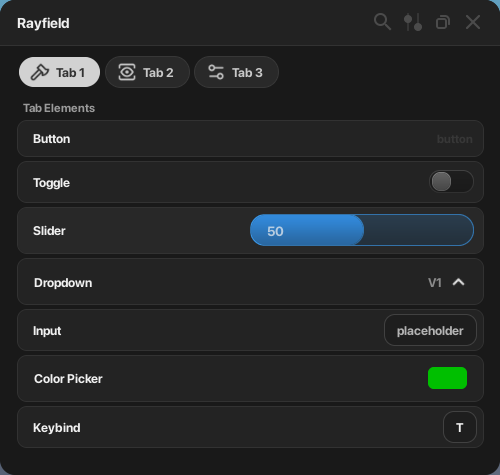 |
| Amber Glow | AmberGlow | 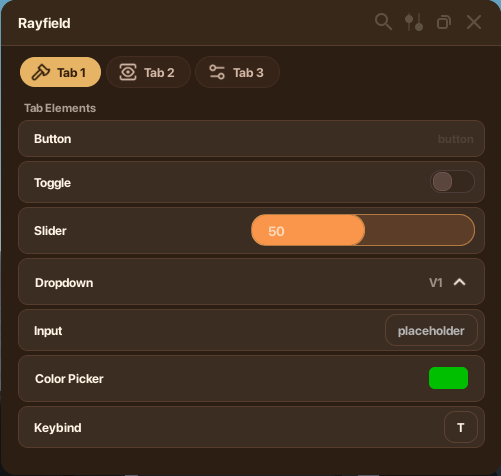 |
| Amethyst | Amethyst | 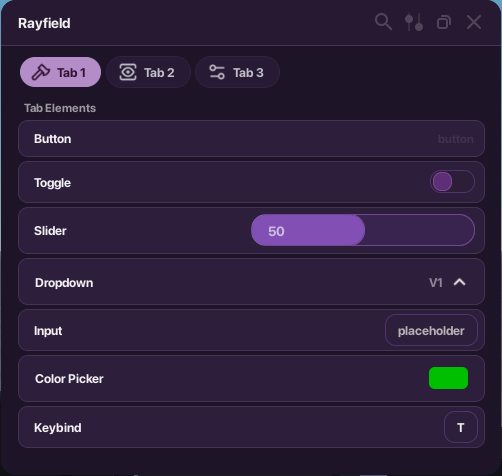 |
| Bloom | Bloom | 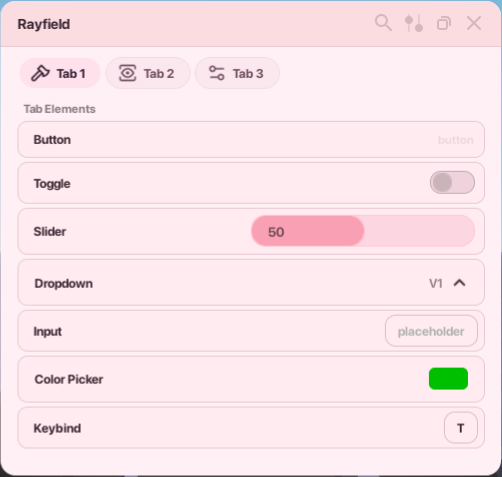 |
| Dark Blue | DarkBlue | 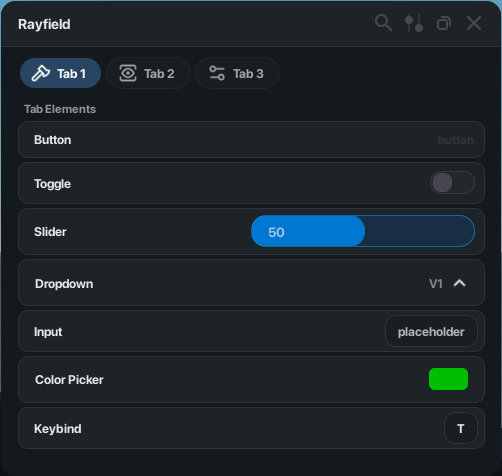 |
| Green | Green | 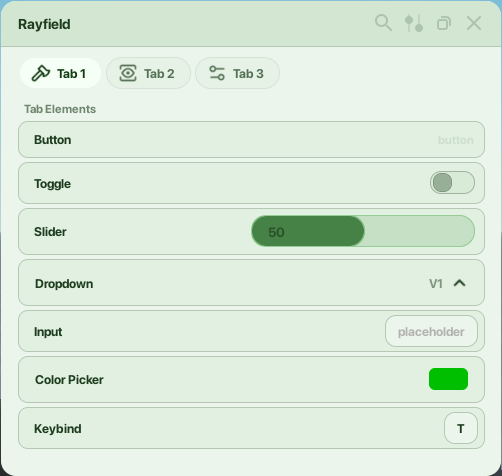 |
| Light | Light | 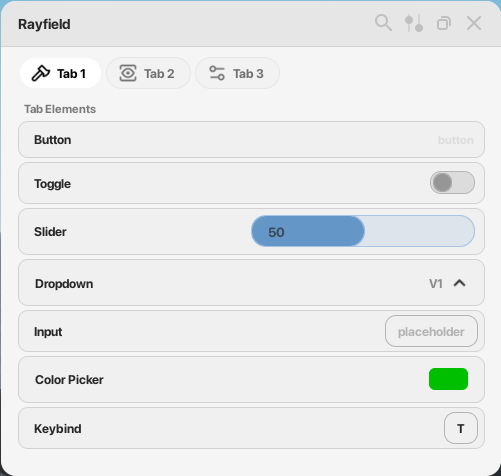 |
| Ocean | Ocean | 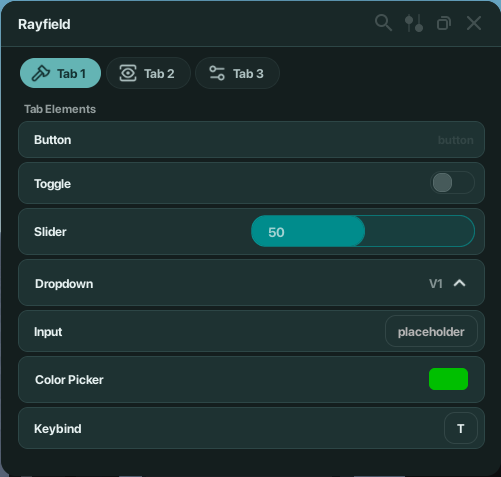 |
| Serenity | Serenity | 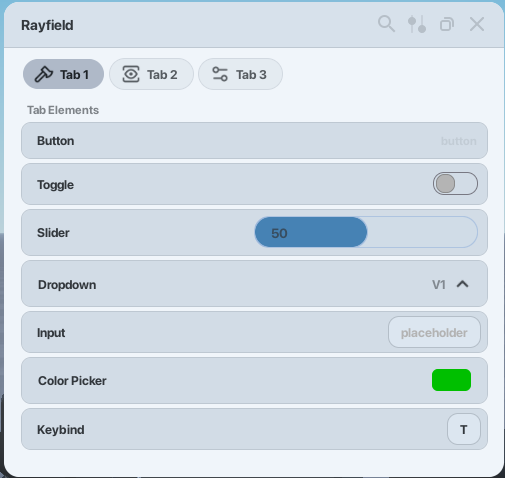 |
Custom Themes
You can also use your own custom theme as of Rayfield 1.53.
To do so, replace the ThemeIdentifier above (in either ModifyTheme or CreateWindow) with a table value of a theme table. An example of a theme table is below.
{
	TextColor = Color3.fromRGB(240, 240, 240),

	Background = Color3.fromRGB(25, 25, 25),
	Topbar = Color3.fromRGB(34, 34, 34),
	Shadow = Color3.fromRGB(20, 20, 20),

	NotificationBackground = Color3.fromRGB(20, 20, 20),
	NotificationActionsBackground = Color3.fromRGB(230, 230, 230),

	TabBackground = Color3.fromRGB(80, 80, 80),
	TabStroke = Color3.fromRGB(85, 85, 85),
	TabBackgroundSelected = Color3.fromRGB(210, 210, 210),
	TabTextColor = Color3.fromRGB(240, 240, 240),
	SelectedTabTextColor = Color3.fromRGB(50, 50, 50),

	ElementBackground = Color3.fromRGB(35, 35, 35),
	ElementBackgroundHover = Color3.fromRGB(40, 40, 40),
	SecondaryElementBackground = Color3.fromRGB(25, 25, 25),
	ElementStroke = Color3.fromRGB(50, 50, 50),
	SecondaryElementStroke = Color3.fromRGB(40, 40, 40),

	SliderBackground = Color3.fromRGB(50, 138, 220),
	SliderProgress = Color3.fromRGB(50, 138, 220),
	SliderStroke = Color3.fromRGB(58, 163, 255),

	ToggleBackground = Color3.fromRGB(30, 30, 30),
	ToggleEnabled = Color3.fromRGB(0, 146, 214),
	ToggleDisabled = Color3.fromRGB(100, 100, 100),
	ToggleEnabledStroke = Color3.fromRGB(0, 170, 255),
	ToggleDisabledStroke = Color3.fromRGB(125, 125, 125),
	ToggleEnabledOuterStroke = Color3.fromRGB(100, 100, 100),
	ToggleDisabledOuterStroke = Color3.fromRGB(65, 65, 65),

	DropdownSelected = Color3.fromRGB(40, 40, 40),
	DropdownUnselected = Color3.fromRGB(30, 30, 30),

	InputBackground = Color3.fromRGB(30, 30, 30),
	InputStroke = Color3.fromRGB(65, 65, 65),
	PlaceholderColor = Color3.fromRGB(178, 178, 178)
}